Drop in your syllabus. Get a populated semester calendar.
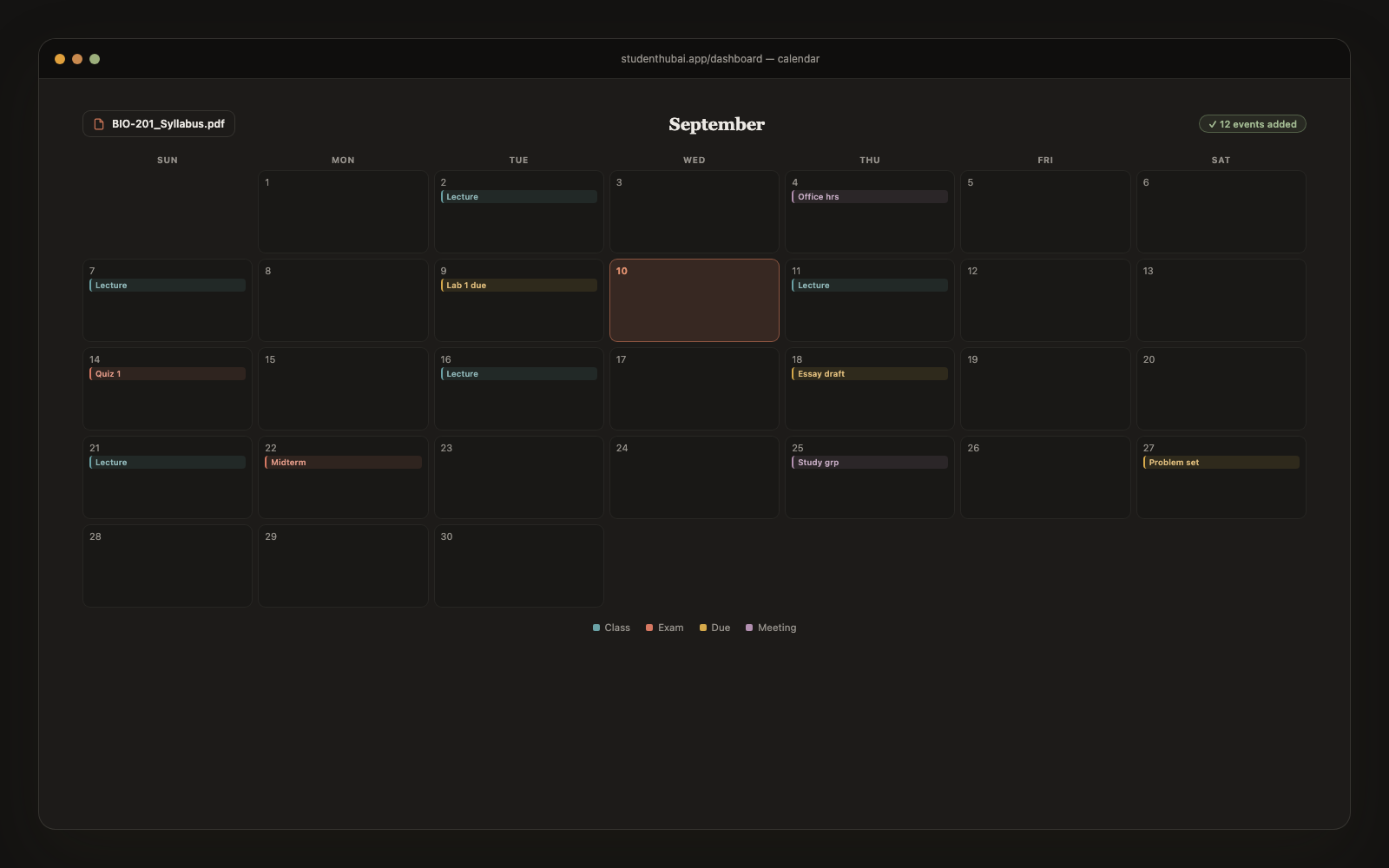
AI reads your syllabus PDF and pulls every class meeting, deadline, exam, and project onto a color-coded calendar: for every class, all in one place. Stop manually copying due dates into Google Calendar.
Free plan · No credit card
How it works
Three steps. Done in 60 seconds.
Upload your syllabus PDF
Or paste the raw text. Works for any school's format: no specific layout required.
AI extracts every event
Class meetings, deadlines, exams, projects, office hours: pulled and labeled automatically.
Color-coded by class
Each course gets its own color. Recurring classes auto-expand for the whole semester. Month grid or daily list view.
Why it works
Built for actual studying, not just demos.
Works with any PDF format
Doesn't matter if your prof formats syllabi like a table, paragraphs, or chaos. AI handles it.
Recurring classes auto-expand
"MWF 10–11 AM" becomes every Monday, Wednesday, Friday class for the whole term, automatically.
Smart "What's next" list
Dashboard surfaces the next 2–3 things you need to act on. Overdue items highlighted in red.
Multiple syllabi at once
Upload all 5 of your classes' syllabi in one session. AI keeps them organized by class.
Mark complete + reschedule
Strike through finished assignments. Drag events to reschedule (e.g. when a prof pushes the exam back).
Mobile dashboard
Calendar works on your phone with a tap-day-for-details interaction. Color dots show busy days at a glance.
vs alternatives
Why students switch to StudentHubAI
FAQ
Common questions
What if my syllabus is badly formatted?+
Tables, prose, mixed layouts and the ones that are clearly a Word document from 2011 all parse. It has been tested against a lot of genuinely messy real syllabi.
Can I edit events after importing?+
Click any event to change the title, date, time or class, or drag it to move it. Nothing is locked once it's in.
What happens when a deadline moves?+
Change the date on the event, or re-upload the revised syllabus and let it resync. Both take a few seconds.
Can I export to Google Calendar?+
Export an .ics file and import it into Google Calendar, Apple Calendar or Outlook.
How accurate is the extraction?+
Around 95% on a normal syllabus. It's worth a quick scan afterwards, but it's considerably more careful than you'll be at 1 AM the night before classes start.
Does it work for grad courses?+
Any course-style syllabus works: undergrad, grad school, online programs and certifications.
What about office hours and weekly readings?+
Recurring items like class meetings and office hours expand across the term automatically. Weekly readings come through as deadlines.
Ready to make studying actually faster?
Free plan, no credit card. Pro whenever you want it.
Start free →More study tools