AI study guide generator: messy notes to structured exam prep.
Drop your lecture notes or textbook chapters, pick a format, get a study guide that's actually organized, with key terms, examples, common pitfalls and self-check questions. Built for cramming and steady review alike.
Free plan · No credit card
How it works
Three steps. Done in 60 seconds.
Select your notes
Pick one note or combine several. Or upload a PDF / paste raw lecture content.
Pick a format
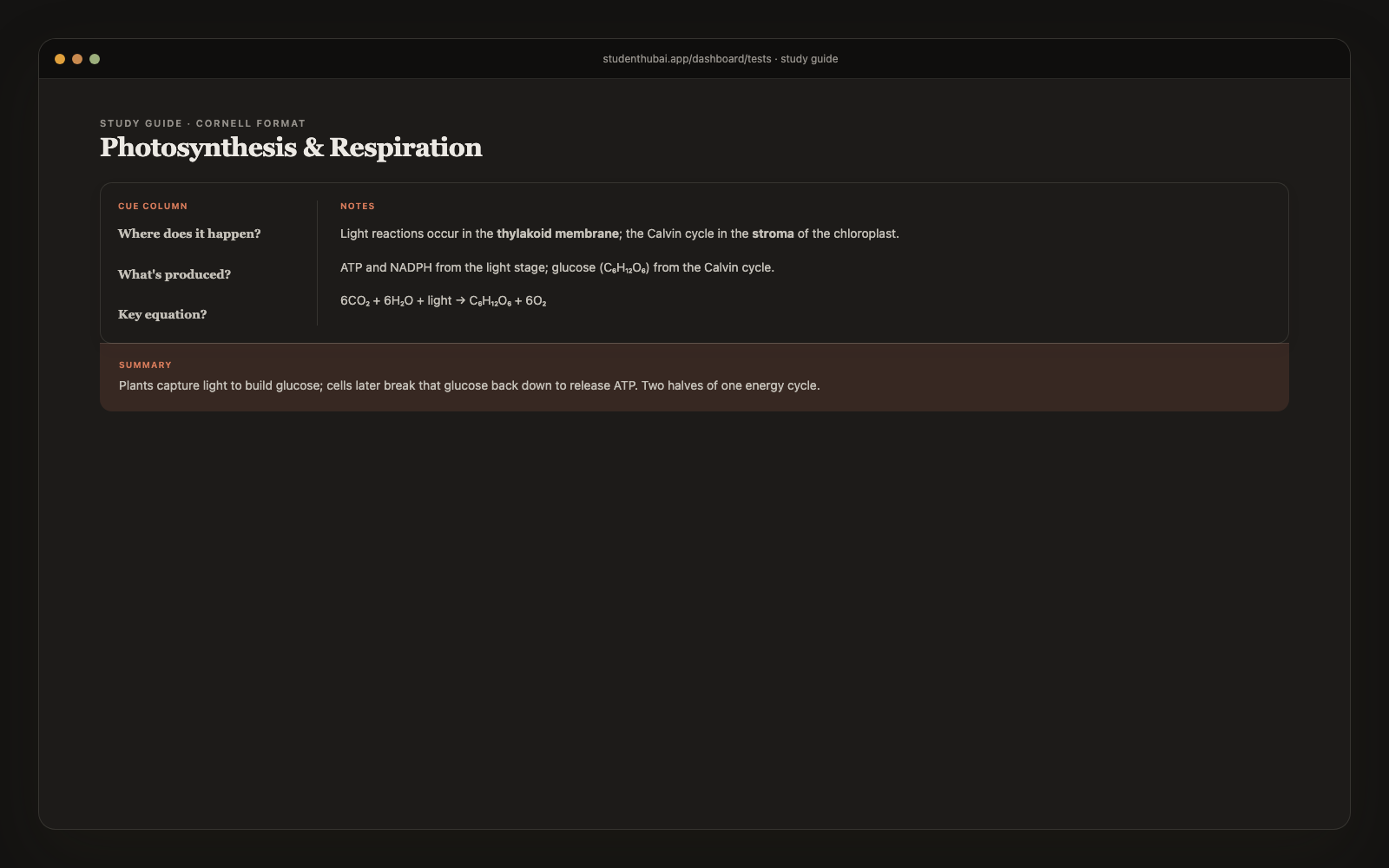
Comprehensive (full review), Outline (3-level hierarchy), Cornell (notes/cues/summary), or Flashcard-style (15–30 cards). Choose based on how you study.
AI builds it
60 seconds and you have a structured study guide with headings, key terms, examples, common mistakes, and self-check questions.
Why it works
Built for actual studying, not just demos.
4 formats for 4 study styles
Outline if you scan visually. Cornell if you take active notes. Comprehensive if you want everything. Flashcards if it's exam morning.
Key terms highlighted
Bold terms with inline definitions so you don't have to flip back and forth.
Self-check questions per section
Tests your recall right after reading. The testing effect, and it beats passive review.
Examples and worked problems
Where applicable, AI generates a concrete example to anchor abstract concepts.
Common pitfalls section
AI flags the misconceptions students typically make on this material. Saves test-day mistakes.
Export PDF or .docx
Print it, share with your study group, or annotate in Word. Real .docx, not faked HTML.
vs alternatives
Why students switch to StudentHubAI
FAQ
Common questions
What is the difference between the four formats?+
Comprehensive is the full review with every section. Outline gives you a three-level hierarchy to scan quickly. Cornell uses the traditional notes, cues and summary layout. Flashcard-style produces 15 to 30 question and answer pairs for spaced repetition.
Can I combine notes from different classes?+
You can, but the output is noticeably better when a guide covers one subject. Combining several notes within the same class works well, for instance every note you've for Bio Chapter 5.
How long is a typical guide?+
Comprehensive runs 1,500 to 3,000 words. Outline is shorter and denser, Cornell is the three-column layout, and flashcard-style lands at 15 to 30 cards.
Does it work for math and STEM?+
For concept review, yes. The caveat is that complex equations come out as plain text rather than properly typeset math, so it's stronger on the explanation than the algebra.
Can I edit the guide afterwards?+
It opens straight into the editor, so you can rewrite, add or cut any section.
What if my notes are thin?+
You'll get a shorter guide. It only works from what you give it, so full lecture notes produce far more than a page of bullet points.
Is this cheating?+
No. You're turning material you already have into a study aid, which is what making an outline has always been. It doesn't write your assignments.
Ready to make studying actually faster?
Free plan, no credit card. Pro whenever you want it.
Start free →More study tools