Record your lecture. We turn the messy transcript into clean notes.
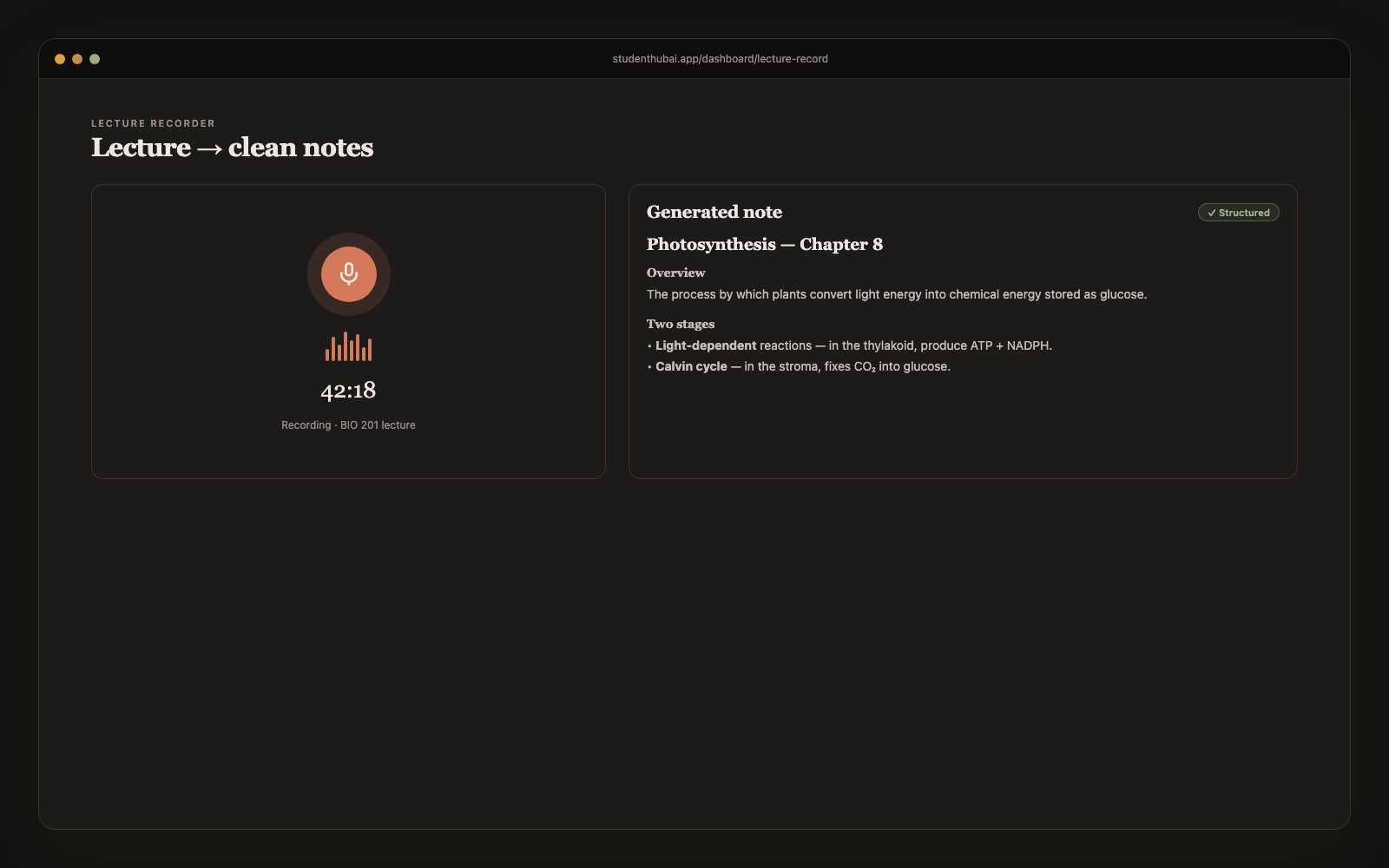
Hit record in class (or upload a recording you already have). The AI transcribes the audio, strips the fillers and false starts, and structures the material into headings, bullets, and bolded key terms. A real note you can study from, saved to your library and organized by class.
Free plan · No credit card · This tool is a Pro feature
How it works
Three steps. Done in 60 seconds.
Hit record (or upload existing)
Live recording from your laptop or phone, or drag in a file you recorded somewhere else. Works with anything Whisper supports: .webm, .mp4, .m4a, .mp3 and .wav.
AI transcribes the audio
We use Whisper, which copes well with different accents, noisy lecture halls and technical terminology. Typical 60-min lecture transcribes in ~15 seconds.
Raw transcript becomes a structured note
Filler words ("um", "so", "like") stripped. Off-topic asides removed. Real content reorganized into H2 sections, bullet lists, bolded key terms. Saved as a fresh note in your library, tagged to the class.
Why it works
Built for actual studying, not just demos.
Cheap fast transcription
Backed by Groq's Whisper-Turbo (the same Whisper model OpenAI uses, just on faster hardware). A 60-minute lecture transcribes in ~15 seconds and costs us pennies, and we pass that saving on.
Stripped of filler, kept the content
The AI explicitly drops housekeeping ("any questions?", attendance, deadline reminders) and keeps the substantive material. Reads like notes from a friend who paid attention.
Tagged to your classes
Optional class selector on upload. Notes auto-organize by class color and show up in the right buckets across the app.
Up to 100 minutes per recording
32 kbps mono encoding means a full 90-minute lecture fits inside Whisper's 25 MB limit. Longer lectures? Coming soon (chunked upload).
Mobile recording works
Recorder works on iOS and Android browsers, record from your phone in the back of class. No app install needed.
Record the whole semester
No cap on how many lectures you record on Pro. A full semester of classes, every one transcribed and turned into notes.
vs alternatives
Why students switch to StudentHubAI
FAQ
Common questions
How long can one recording be?+
About 100 minutes, which covers any normal class. We record mono at 32 kbps to stay under Whisper's 25 MB limit without hurting the transcript. For all-day seminars, stop and start a second recording at the break.
Is it accurate for technical lectures?+
Whisper is good with technical vocabulary, including chemistry compounds, math terms and programming languages. The cleanup pass is deliberately conservative around definitions and equations so it tidies the rambling without rewording the thing you actually needed.
Can I record from my phone?+
Yes, straight from the browser on iOS Safari or Chrome on Android. Open the site, go to Record Lecture, press record. Nothing to install.
Can my professor tell I am recording?+
Your browser shows a recording indicator on the tab, and nothing is broadcast or shared from our side. Recording rules vary by school and by professor, so check yours before you rely on it.
Do you keep the original audio?+
No. We transcribe it, save the notes, and drop the file. Keeping the audio so you can re-listen while revising is on the roadmap.
What if I already have an audio file?+
Upload it and the same flow runs. Anything under 25 MB works, whether that's a Voice Memo, a Zoom audio export, or a lecture someone sent you.
What does it cost?+
Pro is $5.99/month and covers everything: lecture notes, homework helper, flashcards, practice tests, study guides, podcasts, essay tools, calendar and the tutor. The Free plan needs no card, and the lecture recorder is one of the tools that needs Pro.
Ready to make studying actually faster?
Free plan, no credit card. This tool is a Pro feature; the Free plan keeps your notes and calendar.
Start free →More study tools